- Phones
- iOS
A ‘wow’ moment for photo editing
When you purchase through links on our site, we may earn an affiliate commission. Here’s how it works.
 (Image credit: Future / Apple)
- Copy link
- X
- Threads
As artificial intelligence (AI) worms its way further and further into our daily lives, one increasingly popular way to edit photos is to use AI to help adjust your images in ways that would normally be impossible after the fact.
Yet this is also a deeply contentious subject among photographers, as it blurs the lines between reality and fiction. If you can go back in time to shoot an image from a different angle, for example, why not just go the whole hog and drum up something entirely artificial?
Apple has decided to enter this swirling storm with the iOS 27 updates it showed off at WWDC 2026, and one feature in particular has piqued my interest.
Latest Videos FromWatch full video here:
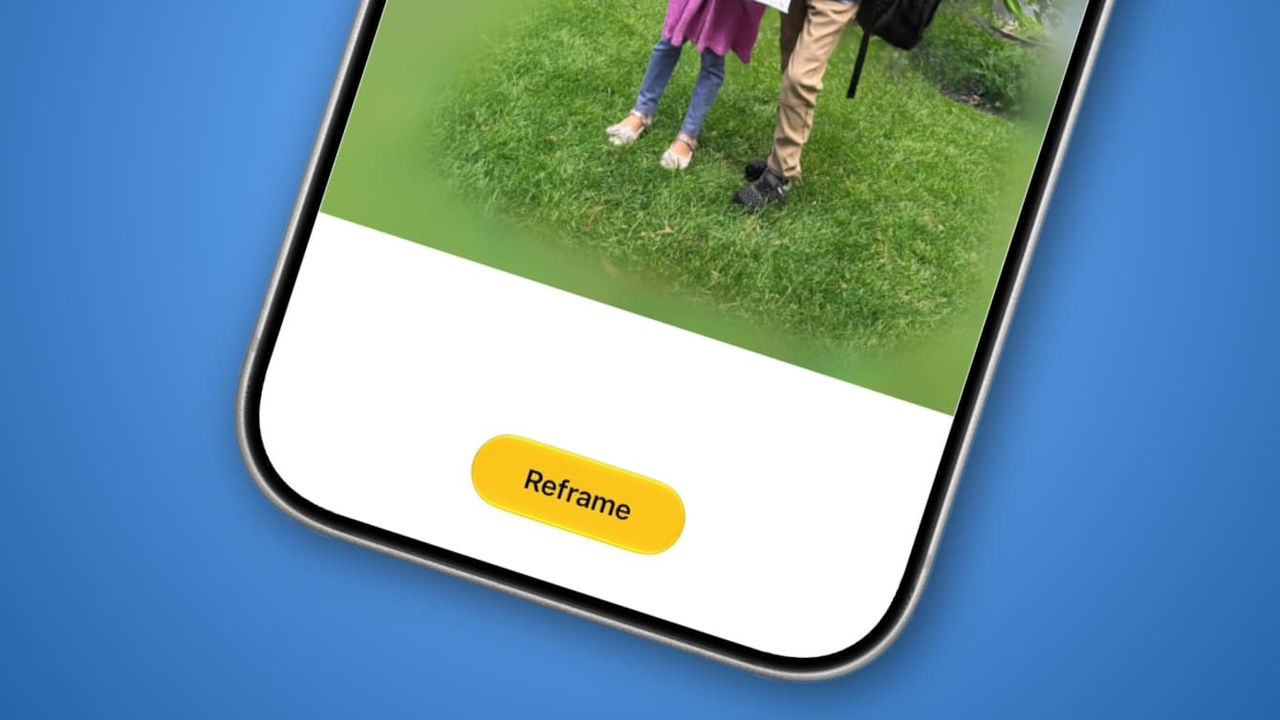
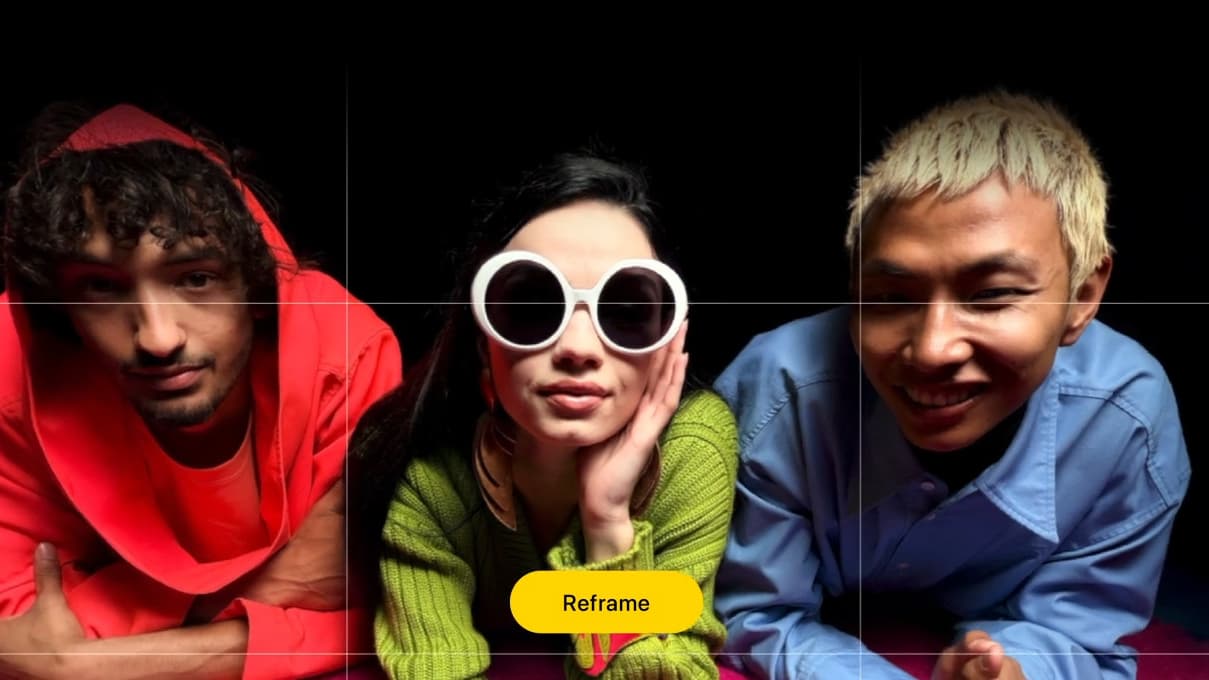
Apple calls it Spatial Reframing. The idea is that you can load up a photo whose composition is not quite to your liking, then use AI to adjust its angle and framing to get the result you wish you’d captured the first time around.
Instead of messing up a once-in-a-lifetime moment or taking multiple photos in the hope that one is right, you just need to shoot once and edit later if necessary. Not only might that help improve my images, but it could also free up storage space on my devices and in the cloud. It could be just what I’ve been needing to take my iPhone photography up a notch.
You may like-
 iPhone Photos editing gets AI overhaul
-
How to use AI to make your photos look instantly better
-
 The AI photo-editing tools that are actually useful
Ending a bad old habit
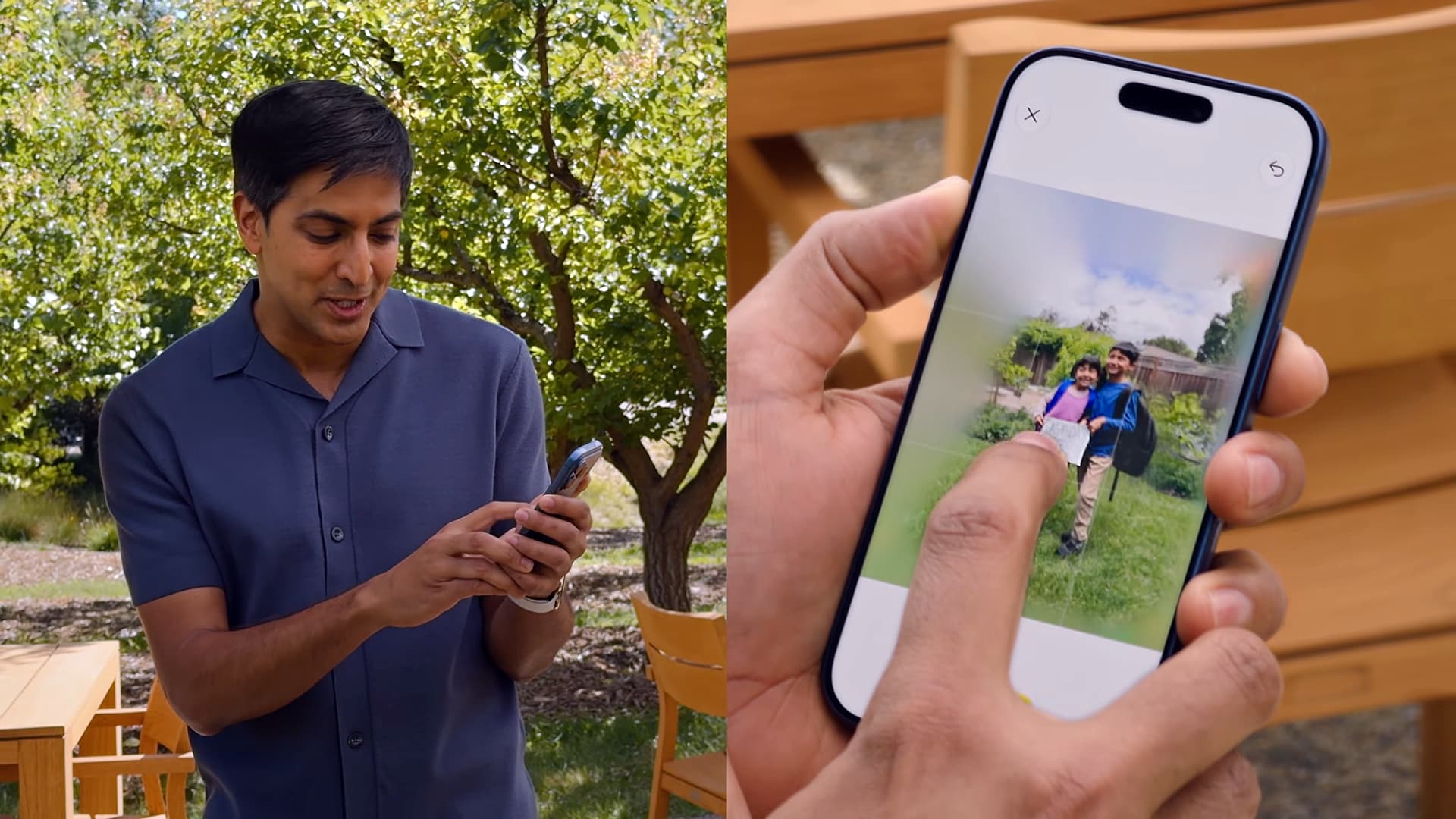
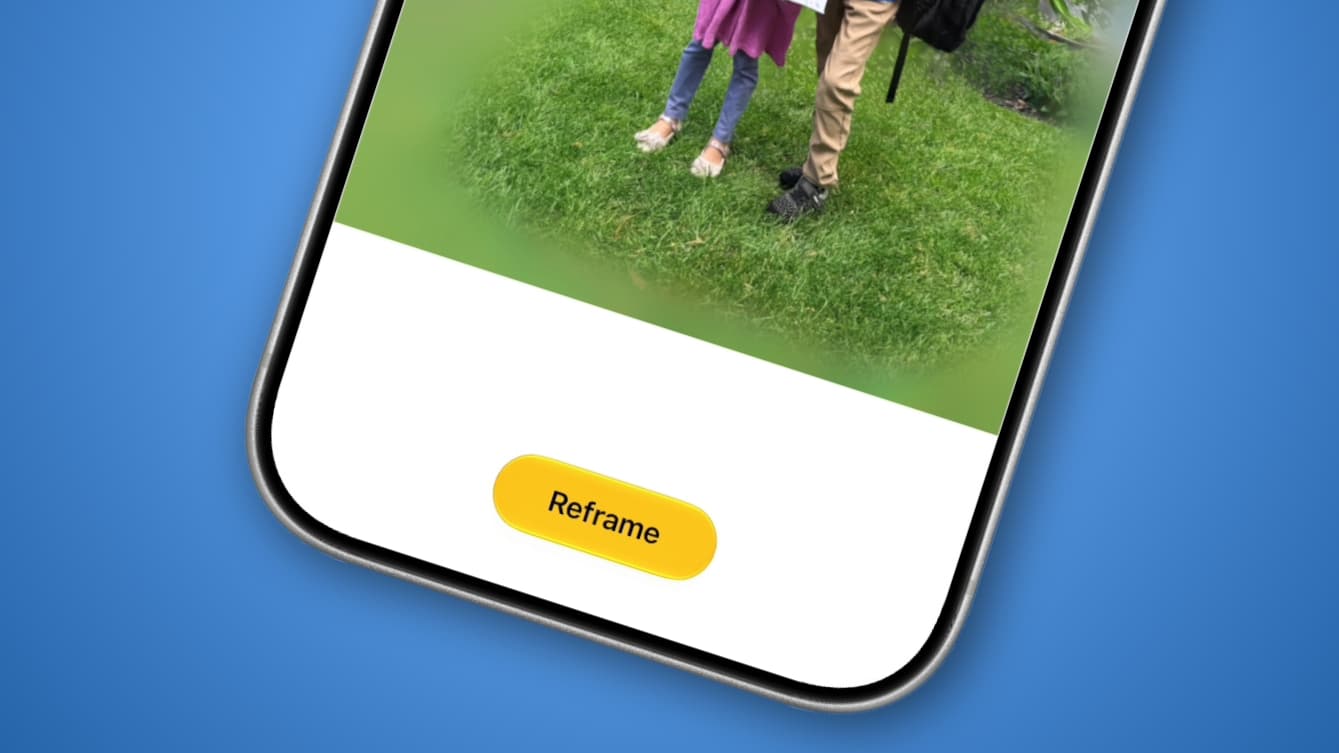
Here’s how Spatial Reframing works. When you tap the Edit button on an image in the Photos app, there’s a new Tools button on the right-hand side. Tap it, then select Reframe. Once Apple Intelligence has analyzed your picture, you can touch and drag it to adjust its framing and perspective. The feature also lets you zoom in and out and will generatively infill content where needed.
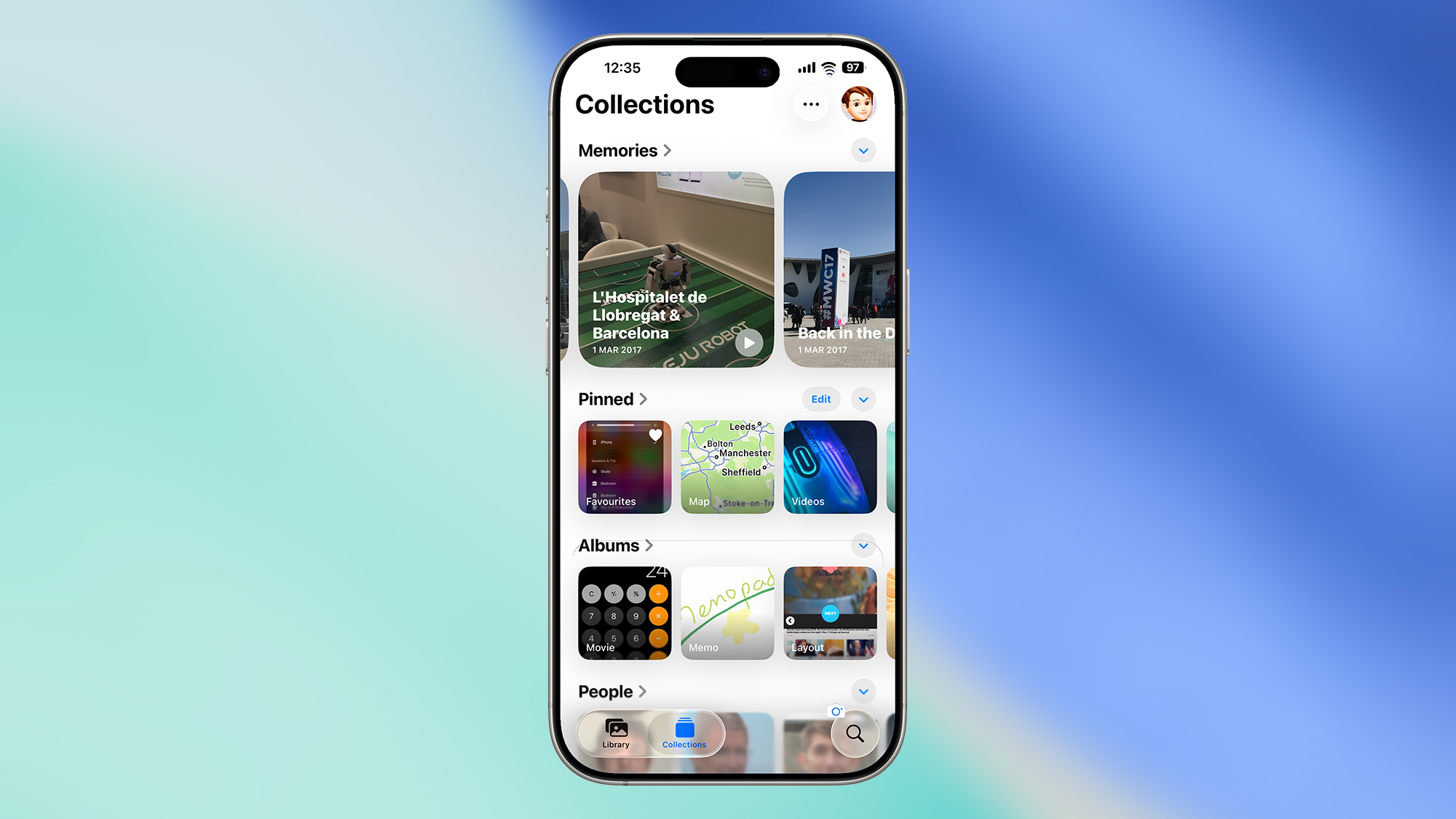
There are other AI image-editing tools in iOS 27 too, including improved Clean Up capabilities and an Extend option that can generate additional content around your subject to expand the photo’s dimensions.
Get daily insight, inspiration and deals in your inboxContact me with news and offers from other Future brandsReceive email from us on behalf of our trusted partners or sponsorsBy submitting your information you agree to the Terms & Conditions and Privacy Policy and are aged 16 or over.Those new tools look interesting, but it’s Spatial Reframing that could be the most useful of the bunch for me.
You see, I’m one of those people who are never entirely satisfied with the images they capture. Whenever I line up my iPhone to take a photo, I end up snapping several from different angles, just in case I look back later and decide my original framing was off.
As you can imagine, this fills up my storage space fast and makes sorting through my pictures a chore. I don’t want to miss a moment thanks to poor composition, but I also don’t like the burden it puts on me and my storage. Not to mention the extra cost of needing a more capacious iCloud library to accommodate everything.
What to read next-
 iOS 27 may soon let you create Shortcuts with natural language AI prompts
-
 The 7 biggest new features coming to your iPhone in iOS 27
-
 Apple just gave 'Siri AI' its biggest upgrade ever — whether iPhone users asked for it or not
But with Spatial Reframing, I might finally be able to let go of that bad old habit and just settle for a single shot at a time, content in the knowledge that I can go back later and reframe my photos if anything appears to be off. That’s the kind of AI boost I can get behind.
A controversial move
That said, Spatial Reframing certainly isn’t without its critics. AppleInsider, for example, said it has the potential to create “nightmare fuel” and isn’t quite ready for prime time.
YouTuber Mrwhosetheboss, meanwhile, had his own reservations, saying: “You’ve already got a perfectly fine photo there of your two real children. Why would you turn that into a fake AI image that never happened just to make the angle more aesthetic?”
And I can understand why some people are reluctant to embrace any kind of AI intrusion into photography. Apple seemed to be aware of that at WWDC 2026, promising that it has a “deep respect for the craft of photography” and that its tools would “help photographers enhance their images in ways that respect the original moment.”
But how true is that when you’re changing an image into something it never was in the first place? Removing small distracting aspects from a photo is one thing — after all, photographers already do this by taking multiple snaps and combining them into one, obliterating pesky crowds and photobombers in one fell swoop — but reshooting a picture from an angle that you were never standing at might feel like it’s leaning too far into artificiality for a lot of people.
Me? I don’t mind it so much because my goal isn’t to pass off my images as something they’re not. I’m not about to use AI to edit an image and then enter it into a competition or present myself as a more competent photographer than I actually am.
Instead, I want to use this tool to help cut down on unnecessary images and ensure my pictures come out the way I intended, even if I didn’t notice a small error in the original composition.
Sure, Spatial Reframing is not going to revolutionize my skills overnight. But if it can prevent me from feeling the need to waste time taking image after image throughout the day — and save me money on iCloud+ storage upgrades in the process — then that’s good enough for me.
Today's best iPhone deals Apple iPhone 17
 SG$1,299View DealSee all pricesApple iPhone 17 Pro SG$1,749View DealSee all pricesApple iPhone 17 Pro Max SG$1,899View DealSee all pricesApple iPhone Air SG$1,599 SG$1,269View DealSee all pricesApple iPhone 17e SG$949View DealSee all pricesWe check over 250 million products every day for the best prices

Follow TechRadar on Google News and add us as a preferred source to get our expert news, reviews, and opinion in your feeds. Make sure to click the Follow button!
And of course you can also follow TechRadar on TikTok for news, reviews, unboxings in video form, and get regular updates from us on WhatsApp too.
TOPICS Apple AI WWDC CATEGORIES iPhone Alex BlakeSocial Links NavigationFreelance Contributor
Alex Blake has been fooling around with computers since the early 1990s, and since that time he's learned a thing or two about tech. No more than two things, though. That's all his brain can hold. As well as TechRadar, Alex writes for iMore, Digital Trends and Creative Bloq, among others. He was previously commissioning editor at MacFormat magazine. That means he mostly covers the world of Apple and its latest products, but also Windows, computer peripherals, mobile apps, and much more beyond. When not writing, you can find him hiking the English countryside and gaming on his PC.
View MoreYou must confirm your public display name before commenting
Please logout and then login again, you will then be prompted to enter your display name.
Logout Read more
AI Platforms & Assistants
How to use AI to make your photos look instantly better
AI Platforms & Assistants
The AI photo-editing tools that are actually useful
iOS
iOS 27 may soon let you create Shortcuts with natural language AI prompts
Apple Intelligence
Apple just gave 'Siri AI' its biggest upgrade ever — whether iPhone users asked for it or not
 AI Platforms & Assistants
I tried OneDrive’s surprisingly fun new AI photo makeover
AI Platforms & Assistants
I tried OneDrive’s surprisingly fun new AI photo makeover
 iPhone
I went stargazing in the Atacama Desert and used a hidden iOS 26 feature to capture the night sky — here’s how to take similar photos on your iPhone
Latest in iOS
iOS
The 7 biggest new features coming to your iPhone in iOS 27
iPhone
I went stargazing in the Atacama Desert and used a hidden iOS 26 feature to capture the night sky — here’s how to take similar photos on your iPhone
Latest in iOS
iOS
The 7 biggest new features coming to your iPhone in iOS 27
 iOS
iOS 27 and Siri AI compatibility explained — here's which devices are supported
iOS
iOS 27 and Siri AI compatibility explained — here's which devices are supported
 iOS
Apple's new iOS 27 Siri 2.0 may have a beta label and waitlist attached
iOS
Apple's new iOS 27 Siri 2.0 may have a beta label and waitlist attached
 iOS
Forget Siri — these are the 5 things I actually want in iOS 27 at WWDC 2026
iOS
Forget Siri — these are the 5 things I actually want in iOS 27 at WWDC 2026
 iOS
iOS 27 developer beta: a step-by-step installation guide
iOS
iOS 27 developer beta: a step-by-step installation guide
 iOS
WWDC 2026: how to watch and what to expect
Latest in Opinion
iOS
WWDC 2026: how to watch and what to expect
Latest in Opinion
 Pro
AI agents are being deployed – but not to full effect
Pro
AI agents are being deployed – but not to full effect
 Memory
The RAM crisis will last 'quite a few years' says Nvidia CEO Jensen Huang
Memory
The RAM crisis will last 'quite a few years' says Nvidia CEO Jensen Huang
 Pro
Why Anthropic’s closed approach may be safer than OpenAI’s
Pro
Why Anthropic’s closed approach may be safer than OpenAI’s
 Pro
Why hackers hit Canvas during finals week
Pro
Why hackers hit Canvas during finals week
 Pro
How AI is outpacing cybersecurity and what firms must do next
Pro
How AI is outpacing cybersecurity and what firms must do next
 Pro
The next identity frontier: Verified workforce and the rise of agentic trust
LATEST ARTICLES
Pro
The next identity frontier: Verified workforce and the rise of agentic trust
LATEST ARTICLES- 1Ukraine wants to be the biggest drone and robot producer worldwide
- 2NYT Connections hints and answers for Wednesday, June 10 (game #1095)
- 3Quordle hints and answers for Wednesday, June 10 (game #1598)
- 4NYT Strands hints and answers for Wednesday, June 10 (game #829)
- 5'AI tools could lead to nothing less than the death of astrophysics': Researchers predict bleak future for thousands who study black holes, galaxies, and supernovae